Here are instructions for how to create an Amazon IAM user:
- Create a user in Amazon IAM:
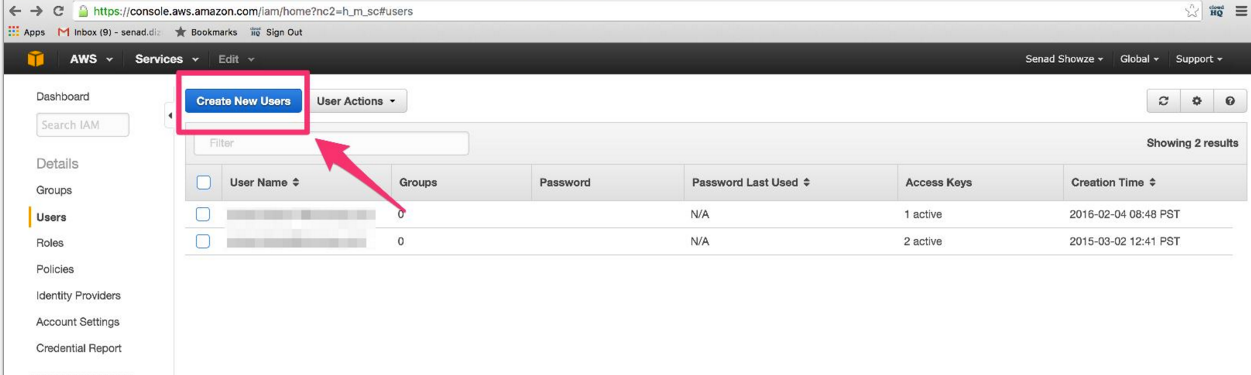
- Save your credentials. You will need to enter these credentials in cloudHQ.
- Attach policy “AmazonS3FullAccess”:
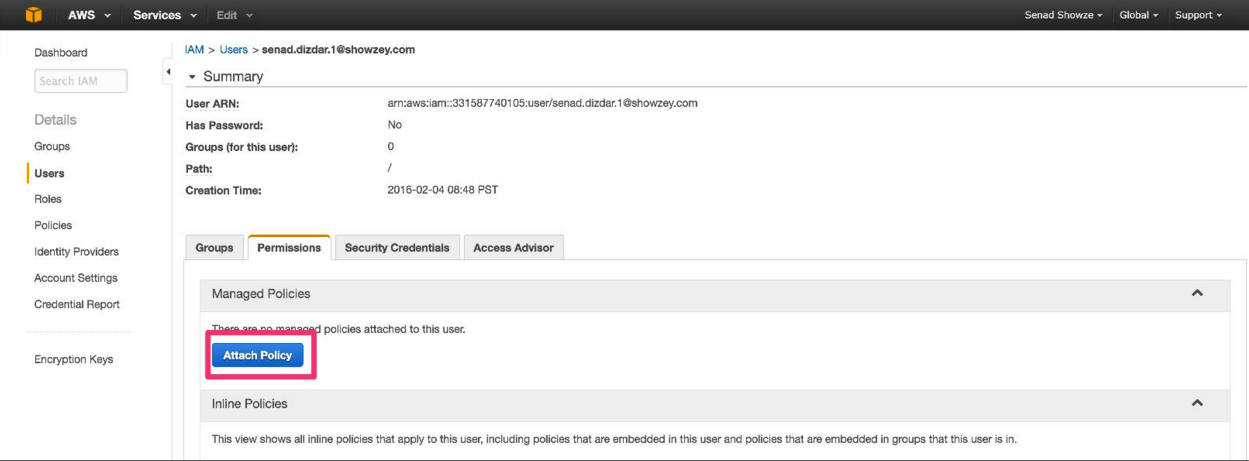
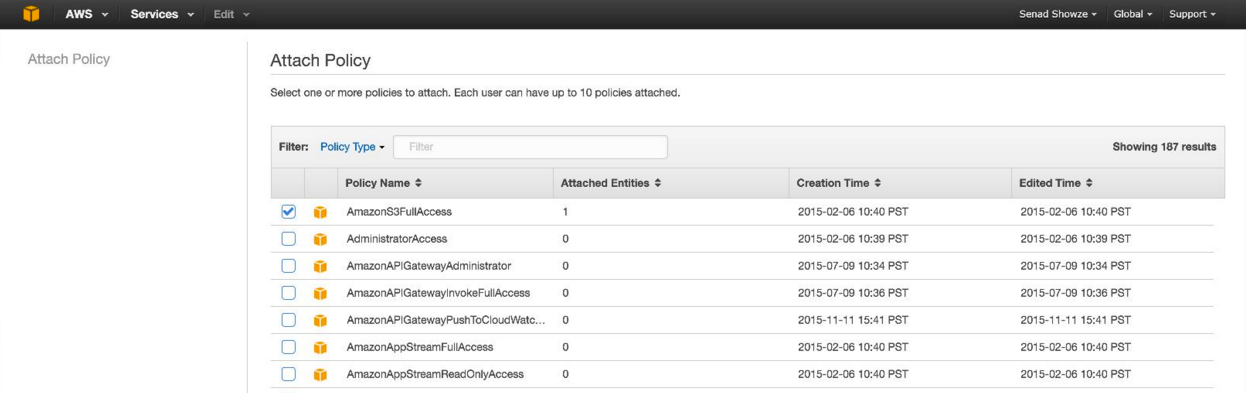
NOTE: If you already have a bucket and you want to limit cloudHQ to access only that bucket, you can apply the policy which has the following permissions:
- list all buckets
- get bucket locations
- full access to the bucket
Here is an example of the policy:
{
 "Version": "2012-10-17",
 "Statement": [
    {
      "Sid": "AllowGroupToSeeBucketList",
      "Effect": "Allow",
      "Action": [
         "s3:ListAllMyBuckets",
         "s3:GetBucketLocation"
      ],
      "Resource": [
        "*"
      ]
    },
    {
      "Sid": "AllowBackupIntoBucket",
      "Effect": "Allow",
      "Action": [
         "*"
      ],
      "Resource": [
         "arn:aws:s3:::acme-backup-bucket/*",
         "arn:aws:s3:::acme-backup-bucket*"
      ]
    }
  ]
}
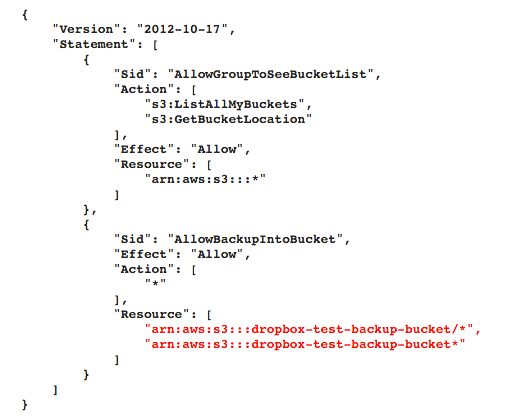
IMPORTANT: Replace acme-backup-bucket with your bucket name
Note that you need to have both “*” and “/*” in resources.